.AHLogo1200x1200Black-07578d9b18173fee3d04bf845fdf5007eba8c3c451a934328392e5221830e241.png)
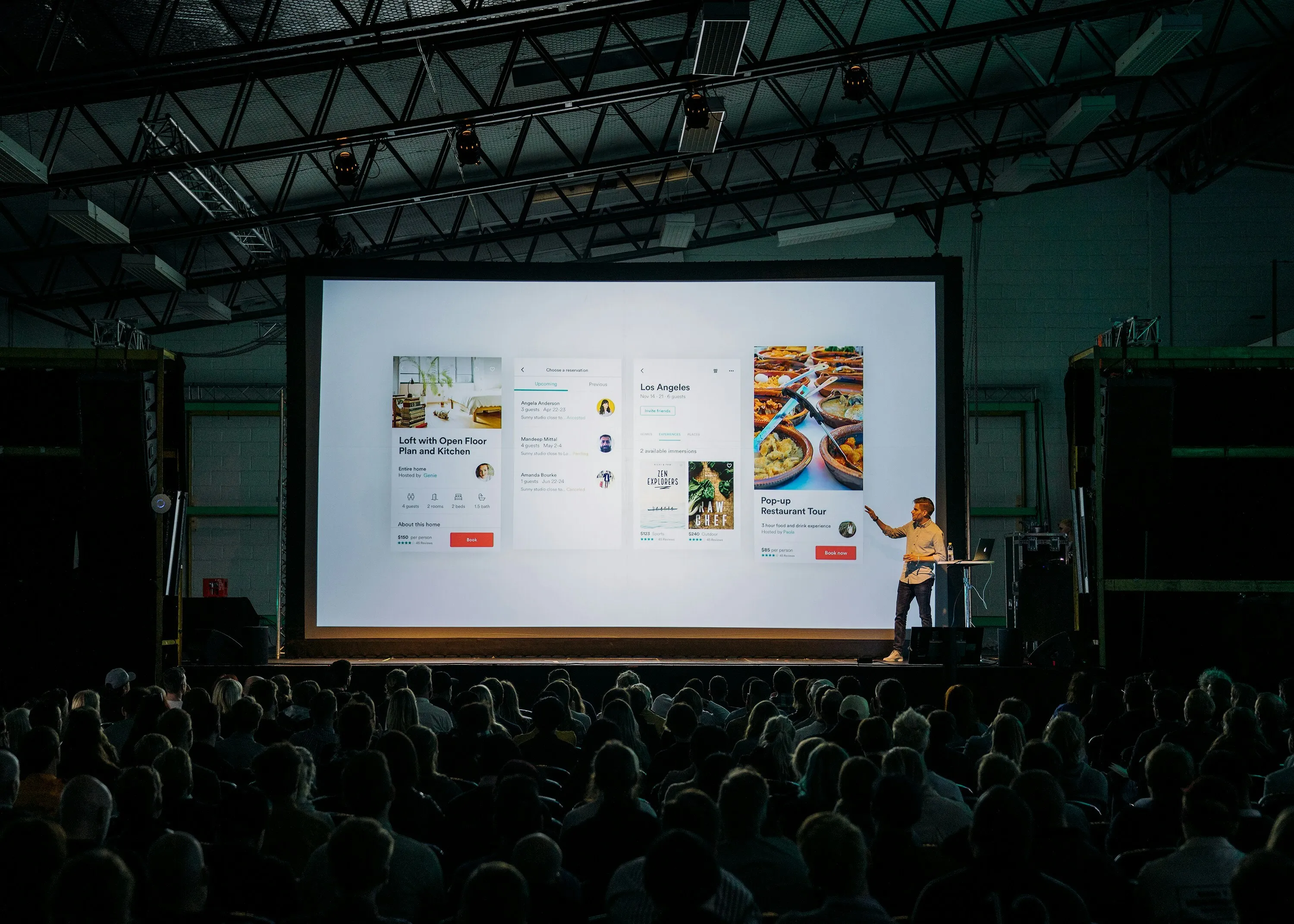
Organising audio for a corporate event does not need to begin with speaker wattages, mixer specifications or microphone frequencies. The most useful place to start is the programme itself: who needs to speak, what the audience needs to hear, whether presenters will move around the room, whether there will be panel discussions or audience questions, and whether laptops, videos or other playback sources need to connect to the sound system.
A straightforward presentation may only require a professional two-speaker PA system and a microphone, while a conference, awards night or larger business function can involve several microphones, presentation playback, an audio mixer, additional coverage and somebody actively managing the sound throughout the programme. The right setup depends on the venue, audience, room layout and what will actually happen during the event. If you already know you need a complete professional solution, visit Corporate AV Hire Adelaide. For conferences, panel discussions and audience Q&A, see Conference AV Hire Adelaide.
Start With the Programme
Before choosing equipment, work through the running order from beginning to end. A two-hour presentation involving one speaker has very different requirements from a function for the same number of guests involving an MC, keynote speaker, four-person panel, audience questions, presentation videos and entertainment later in the evening. Think about how many people will speak, whether presenters remain in one place or move around, whether several people need microphones at the same time, whether the audience will participate and whether there are any laptops, videos, music or other audio sources that need to feed into the PA.
Starting with the programme is much more useful than simply asking for a “corporate PA system”. Once the sequence of the event is clear, the appropriate PA system, microphones, mixer and level of technical support become much easier to determine.
Audience size matters, but it should not be used by itself to choose the sound system. The dimensions of the room, seating layout, stage position, ceiling height and distance from the front of the room to the final row all influence coverage. A system that performs well in a compact training room may not distribute speech evenly through a long conference space, and in larger or unusually shaped rooms it can be more effective to provide additional coverage than simply increase the volume at the front.
For corporate work, the objective is rarely to make the room as loud as possible. It is to make sure somebody seated at the back can understand the presenter clearly without making the system uncomfortable for guests close to the speakers. Audio Hire uses professional Electro-Voice systems for these applications, with different configurations available depending on the venue, audience and programme. For suitable higher-end productions where sound quality, coverage and professional operation are especially important, Meyer Sound Hire Adelaide is also available.
Speakers, Music and Low-Frequency Reinforcement
For most presentations, conferences and seminars, speech intelligibility is the priority. The PA needs to make presenters, MCs and panellists easy to understand throughout the audience area. Music can change the requirement, however. An awards night may use background music during guest arrival, walk-on music during presentations and louder music after the formal programme. A product launch might combine speeches with video playback, music and entertainment.
For that reason, the speaker system should be planned around the complete function rather than only the opening presentation. For a conference focused almost entirely on speech, dedicated low-frequency reinforcement may provide little practical benefit. If the event later includes entertainment, a DJ, dancing or live performance, the requirement changes substantially. Where dedicated low-frequency reinforcement is appropriate, Audio Hire works with systems using at least two subwoofers rather than treating a single subwoofer as the baseline.
The most demanding part of the programme should generally guide the system design so that the event does not need to be reconfigured unnecessarily later in the evening. You can see broader system options at Speaker Hire Adelaide and PA Hire Adelaide.
Microphones for Presenters, Panels and Q&A
Microphone requirements are one of the areas where corporate audio often becomes more complicated than expected. An organiser may initially think the event needs “a microphone”, then discover that the programme includes an MC, keynote speaker, several panellists, awards presentations and audience questions. Although people can technically share microphones, doing so can interrupt the flow of the event. Passing one microphone along a panel every time somebody wants to speak can make discussion slow and awkward, while moving a single handheld microphone across a large audience during Q&A can create unnecessary delays.
The number and type of microphones should therefore be based on how people actually participate in the programme. A wired microphone is often a practical choice when somebody remains at a defined speaking position, while wireless microphones become particularly useful when movement matters. An MC may need to walk around the room, a presenter may move across the stage, or an audience microphone may need to travel between guests during Q&A.
Many corporate functions use a combination of wired and wireless microphones rather than asking one type to handle every task. Our guide to wired vs wireless microphones explains the differences in more detail, and the current equipment range is available at Microphone Hire Adelaide.
Panel discussions should be planned as conversations rather than a sequence of individual speeches. Where the programme and budget allow, giving each participant practical access to a microphone makes spontaneous discussion much easier and also allows the operator to control levels individually. Different speakers naturally talk at different volumes and use microphones differently, so once several microphones are active at the same time the mixer and operator become more important.
The same principle applies to audience Q&A. Wireless handheld microphones are particularly useful because they can be taken to the person asking the question rather than requiring audience members to leave their seats and approach the stage. In larger rooms, multiple wireless microphones can reduce the time spent moving one microphone from one side of the audience to the other. For more detail, see How Many Microphones Do You Need for a Panel Discussion, Conference or Q&A?.
Mixers, Playback and Presentation Audio
Once several microphones and playback sources are involved, an audio mixer usually becomes necessary. A typical corporate programme might include an MC microphone, presenter microphones, panel microphones, audience Q&A microphones, background music, laptop audio, videos and entertainment. Each of those sources needs to be connected and controlled appropriately.
The mixer should have enough capacity for the programme as planned, but it is also sensible to allow some flexibility for changes. Corporate programmes often evolve after the initial booking, and having spare capacity can make adding another microphone or playback source much easier. For smaller systems, a compact mixer may be sufficient, while larger conferences and programmes involving several simultaneous sources require more capacity and usually benefit more from active technical operation.
If a presentation includes video, do not assume the laptop speakers will be adequate for the room. Video audio should normally feed into the PA system so the whole audience can hear it clearly. The same applies to walk-on music, prerecorded announcements, presentation sound effects, remote participant audio and other media. Tell Audio Hire about these sources when planning the system so the correct mixer inputs and connections can be included from the beginning rather than being solved immediately before the presentation starts.
Even speech-focused events often use more music than organisers initially expect. Background music may be needed while guests arrive, during breaks and meals, while presenters walk to the stage or during award presentations. These uses do not necessarily require a different speaker system, but they should still be considered when the equipment is being planned. If the programme later moves into entertainment, a DJ or dancing, the sound requirements can change substantially.
Do You Need a Sound Technician?
For a straightforward presentation with a simple system and limited changes during the programme, an on-site technician may not be necessary. Once several microphones, presenters and playback sources are involved, having somebody responsible for the sound can become considerably more valuable.
A technician can manage microphone levels, mute unused microphones, handle playback sources, respond to changes in the programme and monitor the overall sound throughout the event. The organiser could technically do these things, but they are usually also managing speakers, venue staff, catering, guests and timing. Separating those responsibilities allows the organiser to concentrate on running the function rather than watching an audio mixer.
Different presenters also need different levels. One speaker may naturally project strongly, while another speaks quietly or holds the microphone further away. If the system is left at one fixed setting throughout the programme, the audience can experience significant differences in volume between speakers. A technician can listen throughout the programme and adjust levels as presenters change, which becomes especially useful during panel discussions where several microphones may be active at the same time.
For conferences, panel discussions, awards nights and other important programmes, see Sound Technician Hire Adelaide.
Delivery, Setup and Testing
A compact corporate PA system may be straightforward to collect, but a larger setup involving several speakers, stands, microphones, mixers and cables can require considerably more transport and setup time. Audio Hire provides delivery and collection across Adelaide and can also supply professional sound system setup where required.
Having the system delivered, positioned, connected and tested before the event can be particularly useful for organisers who do not want to spend the period immediately before guests arrive assembling audio equipment.
The system should always be tested before the audience enters the room. Every microphone should be checked, along with music playback, laptop audio, video content and wireless systems. If presenters or performers are available beforehand, a soundcheck can also establish sensible starting levels. The more important the event, the less attractive it is to discover a missing cable, unsuitable connection or untested microphone immediately before the first speaker begins.
What Information Should You Provide?
You do not need to prepare a technical equipment specification before asking for a quote. The most useful information is the event type, venue, approximate audience size, room layout, running order, number of presenters, whether there will be an MC, panel discussion or audience questions, and whether laptops, videos, music or entertainment need to connect to the PA.
It is also useful to know whether you want to collect the equipment yourself or require delivery, setup or an on-site technician. With that information, Audio Hire can consider the complete requirement rather than simply quoting a list of equipment.
The simplest way to plan corporate audio is to start with what needs to happen rather than what equipment you think you need. A straightforward presentation may require a professional two-speaker PA system and microphone. A conference or awards event may need several microphones, more mixer capacity, additional speaker coverage, presentation playback and technical support.
For a complete corporate solution, visit Corporate AV Hire Adelaide. For conferences, panels and audience Q&A, see Conference AV Hire Adelaide. You can also browse PA Hire Adelaide, Microphone Hire Adelaide or Sound Technician Hire Adelaide.
Tell us what you are organising, where it is being held and how the programme will run. We can then help determine what the audio system actually needs to do without making the setup unnecessarily complicated.
CTA: Plan Your Corporate AV