.AHLogo1200x1200Black-07578d9b18173fee3d04bf845fdf5007eba8c3c451a934328392e5221830e241.png)
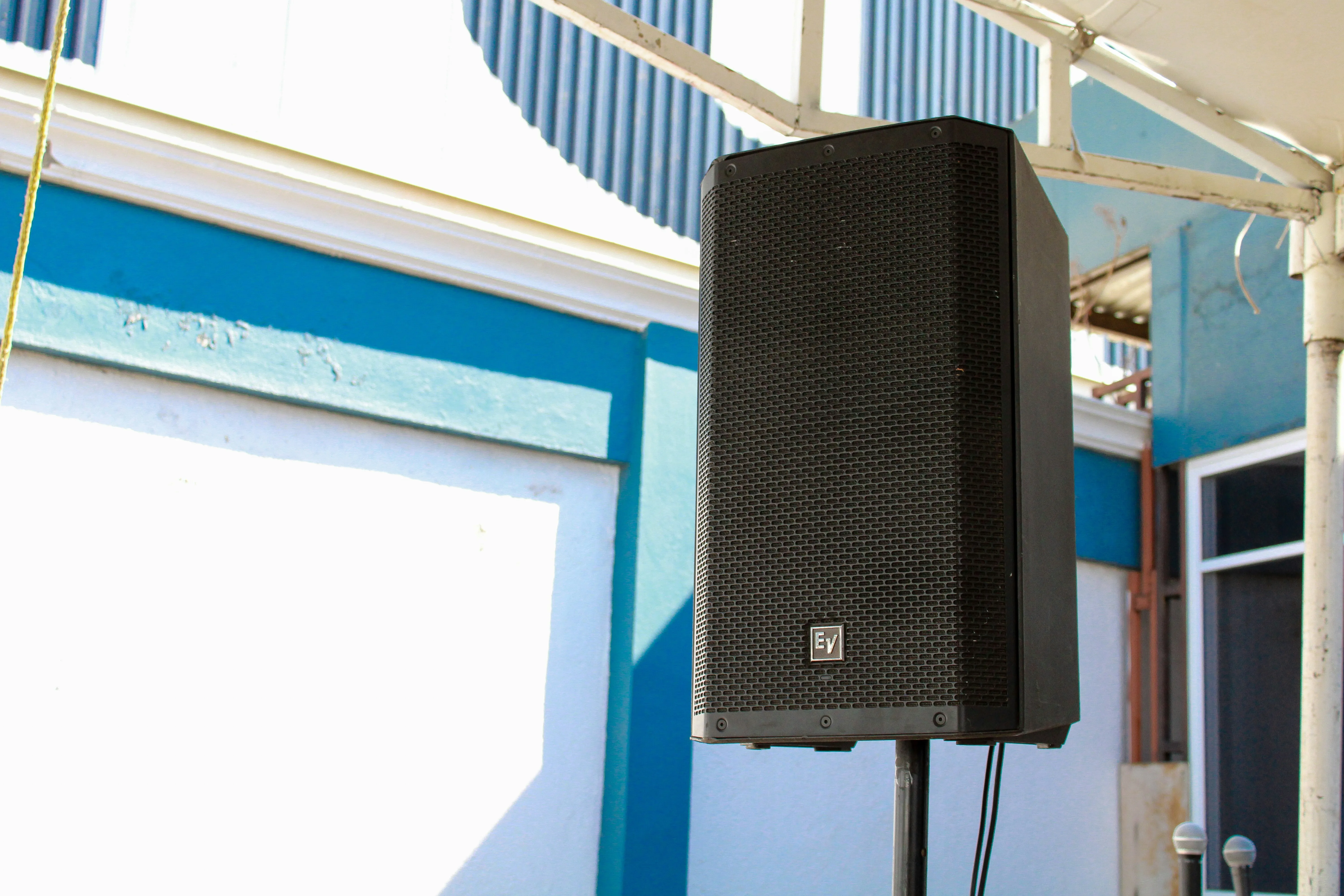
Setting up a professional PA system is not especially complicated, but small decisions about speaker position, height, cable routing, gain and microphone placement can make a substantial difference to the result. A good setup should provide clear, even coverage across the audience area without making the system unnecessarily loud near the front or increasing the risk of feedback.
For most smaller and medium-sized event applications, a properly positioned two-speaker system is the natural starting point. From there, the exact setup depends on the venue, audience layout and what the system needs to reproduce. A system being used mainly for speeches has different priorities from one providing music for a party or a DJ, even when the same speakers are involved.
If you would rather have the system delivered, positioned, connected and tested for you, Audio Hire provides Sound System Setup Adelaide. If you are setting the system up yourself, the principles below will help you get a much better result.
Position the Speakers for the Audience
Start by thinking about where people will actually be listening rather than simply placing the speakers wherever there is convenient space.
The main speakers should usually be positioned on either side of the presentation, performance or main activity area and aimed towards the audience. They should cover the listening area as evenly as possible rather than sending a large amount of sound into walls, empty parts of the venue or areas where nobody needs to hear it.
For a typical portable PA system, both speakers should be used together to create balanced coverage. In a simple rectangular room, positioning the pair near the front and aiming them slightly inward can provide a good starting point. Wider, longer or unusually shaped spaces may require a different approach or additional coverage.
The aim is not to make the speakers as loud as possible. It is to allow people throughout the audience area to hear clearly at a comfortable level.
For more on choosing the appropriate system size, see How Many Speakers Do I Need for My Event?.
Raise the Speakers Above the Audience
Portable PA speakers generally perform better when raised on suitable speaker stands.
If speakers sit on the floor, the people closest to them can block part of the high-frequency sound before it reaches the rest of the audience. Raising them allows the high-frequency section of the cabinet to project more effectively across the listening area.
The exact height depends on the room and audience, but the objective is usually to place the high-frequency horn above the heads of most people in the immediate area rather than firing directly into the first row.
Speaker stands should always be placed on a firm, level surface and positioned where they are unlikely to be knocked or create an obstruction. Cables around the stands should also be routed safely.
Audio Hire’s Speaker Hire Adelaide systems include the appropriate standard supporting equipment for the booked configuration.
Keep the Speakers in Front of Open Microphones
Speaker position becomes especially important when microphones are being used.
As a general principle, the main speakers should be positioned in front of the microphone line and aimed towards the audience rather than back towards the microphones. If sound from the PA re-enters an open microphone and is amplified again, it can create the familiar ringing or squealing sound known as acoustic feedback.
Feedback is not simply caused by “turning the microphone up too much”. Speaker placement, microphone direction, room acoustics and gain all influence how much level can be achieved before feedback occurs.
Moving the speakers and microphones into sensible positions before adjusting levels is usually much more effective than trying to fix poor physical placement with electronic settings later.
If your event involves several microphones, browse Microphone Hire Adelaide or read our guide to how to stop microphone feedback at an event.
Connect the Audio Signal Before Turning Everything Up
Once the physical positions are established, connect the audio system with the level controls turned down.
Professional powered speakers such as the Electro-Voice systems used by Audio Hire contain their amplifiers inside the speaker cabinet. This removes the need for a separate power amplifier, but the signal still needs to reach the speaker from a source such as a mixer, DJ controller, laptop interface or other suitable audio device.
Balanced XLR connections are commonly used between professional mixers and powered speakers because they are designed for reliable audio transmission over practical event distances.
If a mixer is being used, connect the source equipment to the mixer first and then connect the mixer outputs to both speakers. If several microphones and playback devices are involved, the mixer allows the different sources to be controlled individually before they reach the PA.
For more complicated systems, see PA Hire Adelaide.
Use a Sensible Power-On Sequence
The order in which audio equipment is powered can help avoid loud pops and unwanted transients through the speakers.
As a practical rule, turn on source equipment and mixers before powering the active PA speakers. When shutting the system down, reverse the sequence by turning the speakers off before the source equipment and mixer.
This means the speakers are not amplifying electrical noises created while other equipment is being switched on or off.
Before powering up, make sure level controls are set conservatively. Once everything is connected and stable, levels can then be increased gradually while listening to the system.
Set Levels Gradually
Good gain structure is about getting sufficient level through each part of the system without overdriving one stage and then compensating somewhere else.
Start with the audio source or mixer operating at a sensible level, then bring the speaker levels up gradually until the audience area is covered comfortably. Avoid immediately turning every control to maximum.
If the speakers or mixer indicate that the signal is clipping or limiting continuously, something in the gain structure needs to be adjusted. Occasional limiting on brief peaks is very different from running the system into constant overload.
The appropriate level should be judged from the audience area, not from beside the speaker. Walk through the room or outdoor space and listen from different positions. This makes it much easier to identify areas that are too loud, too quiet or poorly covered.
For functions where somebody needs to monitor and adjust the system throughout the programme, Sound Technician Hire Adelaide is available.
Test Speech and Music Separately
A PA system can behave differently with speech and music, so test the sources that will actually be used during the event.
If microphones are required, have somebody speak into each microphone from the position where it will normally be used. Listen from several places in the audience area and check that speech remains clear without feedback.
Then test music or presentation playback separately. A level that is comfortable for background music may be too low for dancing, while a setting intended for a DJ may be completely inappropriate during speeches.
The system should be configured around the different stages of the programme rather than expecting one fixed level to suit everything.
Think About the Room
Room acoustics can make a good PA system sound poor if the setup ignores the space.
Hard rooms with glass, concrete or other reflective surfaces can produce significant reverberation. Turning the PA louder often makes the problem worse because more sound energy is sent into the room.
In these spaces, good speaker positioning and sensible levels are especially important. The goal is to direct useful sound towards the audience while avoiding unnecessary energy being fired into reflective surfaces.
Carpeted rooms, curtains, furniture and a room full of people can absorb more sound, so the system may behave differently during an empty soundcheck from the way it behaves once guests arrive.
Setting Up for Parties and DJs
A party system generally has different priorities from a speech-only PA.
The main pair of speakers still needs to cover the audience and dance area evenly, but music output and low-frequency performance become more important. For DJ or dance-floor applications where dedicated bass reinforcement is required, Audio Hire works from at least two subwoofers.
Subwoofers need to be integrated with the main speakers rather than treated as completely separate sound sources. Crossover settings, levels and placement all affect how smoothly the system works as a whole.
If you are planning a party, see Party Speaker Hire Adelaide. If your DJ is bringing their own controller or decks and needs a professional PA supplied separately, visit Audio Hire for DJs in Adelaide.
Setting Up for Weddings, Presentations and Corporate Events
For weddings and corporate events, microphone clarity often matters just as much as music playback.
Wedding ceremonies and receptions may move between background music, speeches and dancing, while corporate functions may involve presenters, videos, panel discussions and audience questions. The system needs to support those transitions without compromising intelligibility.
For these applications, speaker positioning, microphone placement and mixer control are particularly important. A system that sounds excellent for music can still perform poorly during speeches if the microphones and speakers are badly positioned.
For complete planning information, see Wedding Sound Hire Adelaide, Corporate AV Hire Adelaide or Conference AV Hire Adelaide.
Cable Routing and Safety Matter Too
A technically correct PA setup can still be a poor event setup if cables create unnecessary trip hazards or equipment blocks access routes.
Audio and power cables should be routed away from walkways where possible. Where cables need to cross areas used by guests, suitable cable covers may be appropriate.
Long cable runs should also be planned before the event. The distance between the mixer, speakers, microphones and available power can affect which cables are required.
Our guide to what audio cables you need for an event explains the basics in more detail.
Listen Before the Event Starts
The final stage is simply to listen.
Walk around the audience area while playing the types of material that will actually be used. Check the front, middle, back and edges of the space. Test every microphone, music source and presentation connection.
If the sound becomes noticeably quieter towards the back, do not automatically turn the front speakers much louder. Reconsider their positioning and whether the audience area genuinely requires additional coverage.
Testing the complete system before guests arrive gives you time to solve small issues without pressure.
Do You Want Audio Hire to Set It Up?
Some customers are perfectly comfortable collecting a professional PA system and setting it up themselves. Audio Hire continues to provide dry hire for those customers.
If you would rather avoid transporting, positioning and connecting the equipment yourself, Sound System Setup Adelaide provides a middle ground between dry hire and a fully operated sound service. Audio Hire can deliver the equipment, position the speakers, connect the required system and test it before handing it over for use.
For functions where microphones, playback sources or levels need active management throughout the event, a professional sound technician can remain on site and operate the Audio Hire system.
If you are still deciding what equipment you need, start with Speaker Hire Adelaide, PA Hire Adelaide or Sound System Hire Adelaide. If you would rather begin with what you are organising, visit Hire Audio by Event Type.
CTA: Arrange Sound System Setup